
Cue Sheet
From timeline to filed cue sheet without retyping a single writer credit. Your timeline and music never leave your computer.
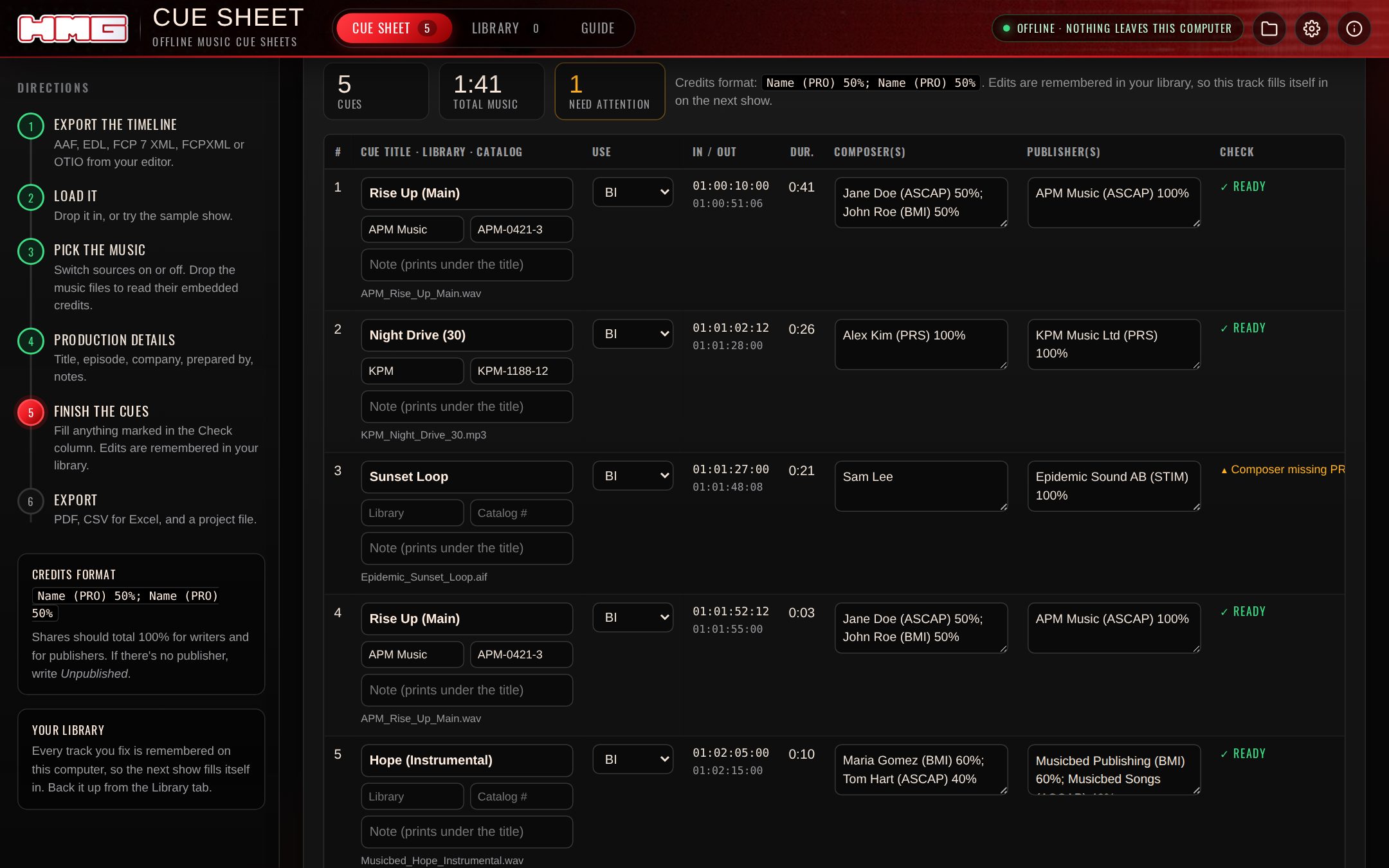
It finds the music
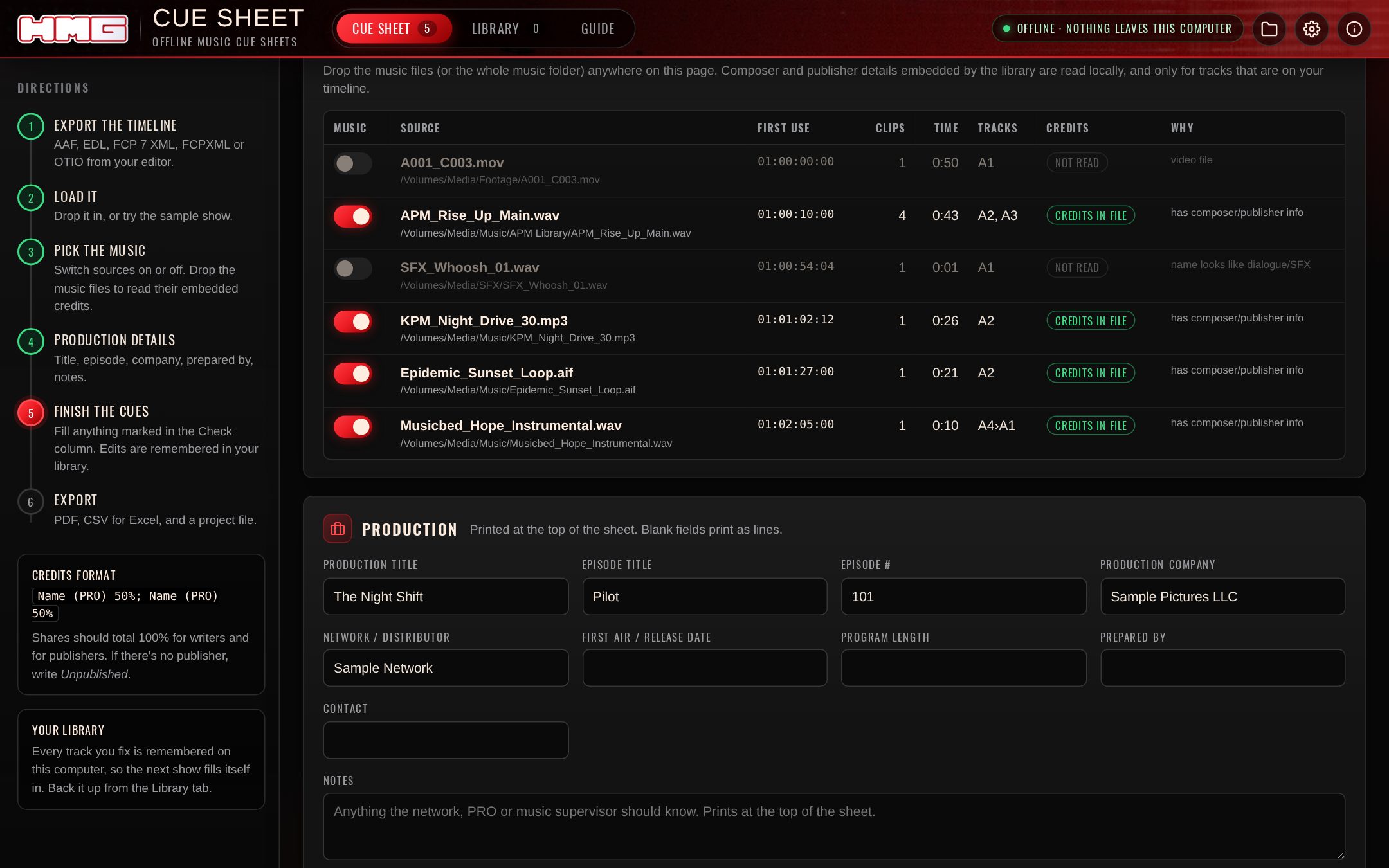
Drop in the export from Premiere, Resolve, Avid, Pro Tools or Final Cut. Dialogue, SFX and production audio are switched off automatically, and you can switch anything back on.
Then drop the music folder. Composer and publisher credits embedded by the library are read from WAV/BWF, MP3, AIFF, M4A and FLAC. Only the tag chunks are read, never the audio.
It flags what gets rejected
- Missing writers, publishers or PROs
- Shares that don't total 100%
- Cues under a second
- Repeat uses merged into one cue, with gaps you set
Fix a track once and your library remembers it, so the next episode fills itself in.
File it
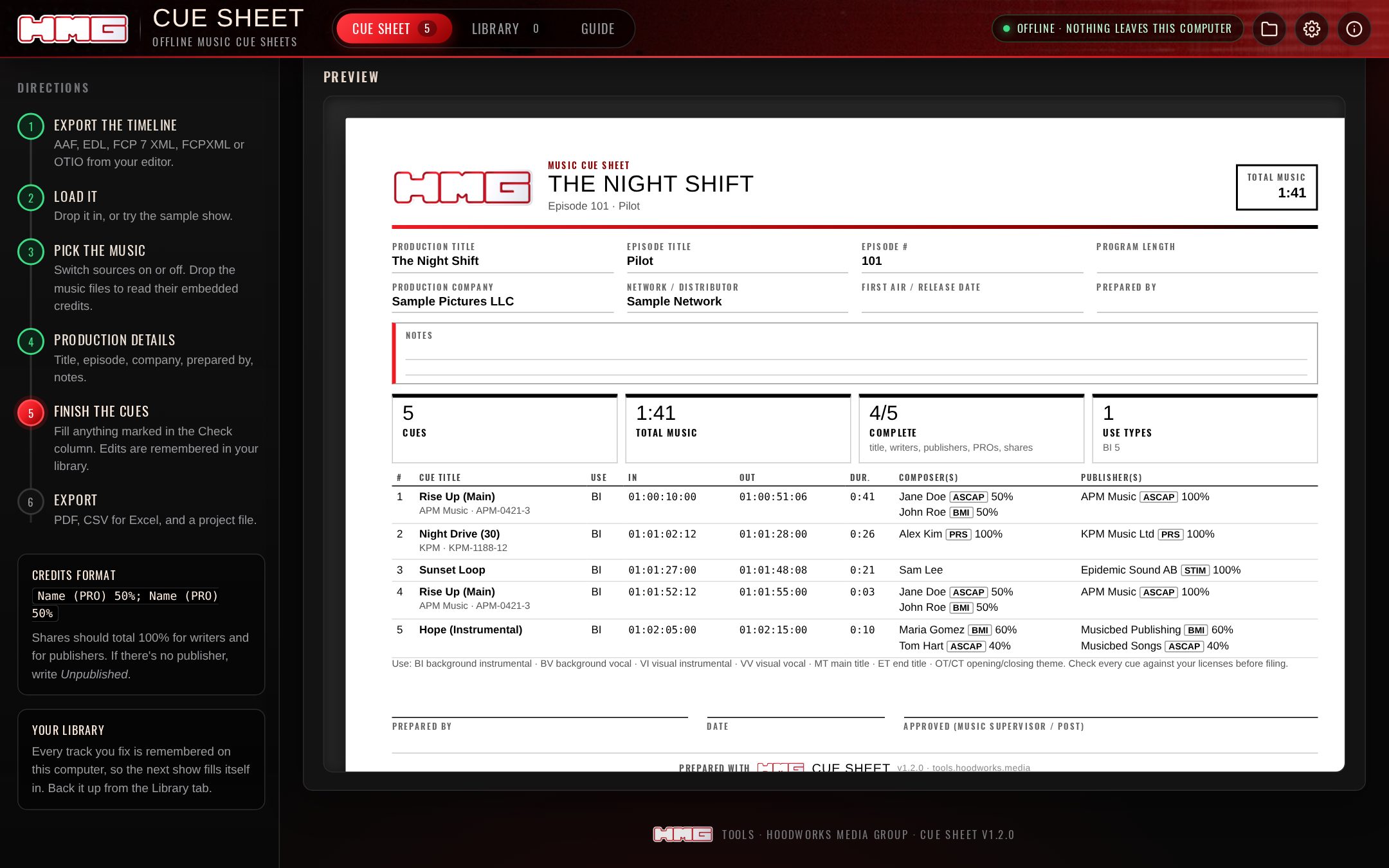
A landscape PDF with production details, prepared by, notes, cue totals, a use-code key and a sign-off block. There's also an Excel-ready CSV and a project file you can reopen later. Want a plain sheet under your own name? Turn the HMG logo off.
Same app, every screen
Included
Included
Included
Coming next
- Mac app, web app and iPhone/iPad
- New versions download from your Gumroad library
- A sample show in every format
FAQ
Does it look tracks up in library databases?
No. It reads the credits the libraries embed in the files you downloaded, plus everything you've fixed before. That's why it can run fully offline.
Which PROs and formats does the sheet follow?
It produces a standard cue sheet (title, use, timing, duration, writers and publishers with PRO and share) as a PDF and an Excel-ready CSV. Check your network's or PRO's own template before filing.
Is my library shared between the Mac app and the web app?
No. Each keeps its own library. Back it up from the Library tab and import it on the other.
Does it check my licenses?
No. It formats and validates the sheet. Always check every cue against your licenses before filing.